


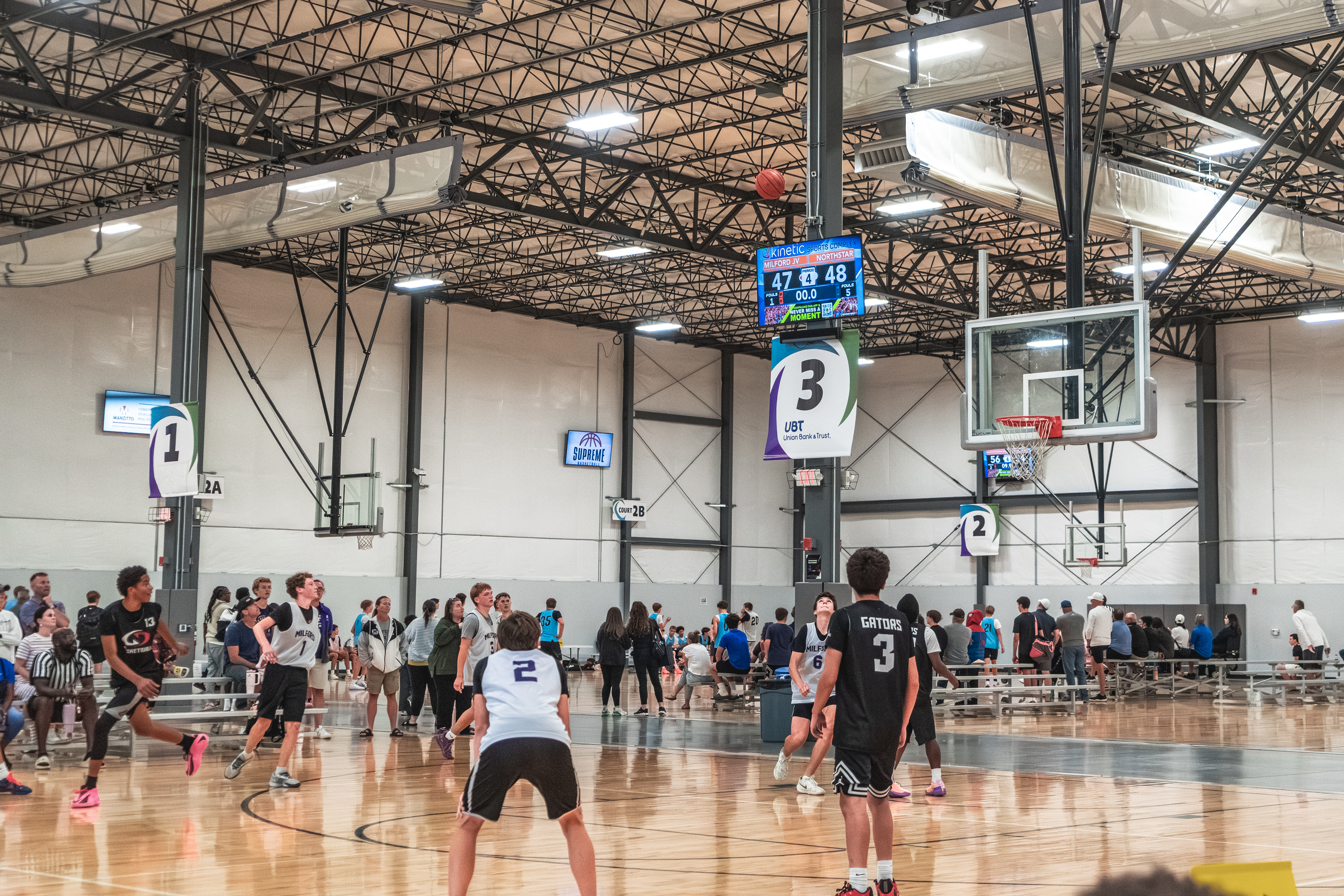
Club volleyball tryouts and winter basketball leagues are only weeks away. Now’s the time to decide if the way you’re showing scores provides the best tournament experience. For most multi-court indoor complexes, the best club and youth sports scoreboard runs on TVs you buy at the store. ScoreVision turns TVs into professional and reliable scoreboards. Our Basic Suite is also super easy to self-install.
This guide compares using Basic Suite on a TV with traditional scoreboards from Daktronics, Nevco, and Watchfire. It covers setup, scoring, cost factors, and sponsor revenue so you can choose the right fit for your facility.
What Is the Best Club and Youth Sports Scoreboard?
For multi-court basketball and volleyball facilities, a software-based scoreboard like ScoreVision is the most practical choice. It needs only a TV, a streaming device such as Apple TV or Google TV, and a tablet or iPad per court.
Traditional scoreboards remain an option for gyms with a permanent home team, but even then it's not always the best solution. For facilities hosting multiple teams and sports across multiple courts, ScoreVision is the more affordable, simpler solution. It reduces hardware costs and gives you flexibility for team branding and wayfinding. Each TV display can show custom court graphics as the scoreboard background and facility-wide sponsor ads. A fixed-digit scoreboard usually needs an added video display to deliver that level of customization.
Why Is It Hard to Display Scores in a Multi-Court Facility?
It depends on the facility. Many new multi-court complexes are designed with a scoreboard on every court. But some still rely on flip cards, which leaves parents and players guessing about the score when they can’t see.
For those using flip cards, traditional scoreboards are one fix, but the hardware and labor costs can get expensive. And quite frankly, the controller used for most of these scoreboards isn’t great for volunteers. They require training and prior experience operating them at other facilities. That limits the volunteer pool, which is already one of the more difficult problems teams face when hosting tournaments.
How Do Traditional Scoreboards Work?
Traditional scoreboards use fixed-digit displays connected to a controller at a scorer's table. The three companies below manufacture these displays. Here is a factual look at how their scoring systems work, based on their published materials.
Daktronics
The Daktronics All Sport 5000 console uses a physical keypad with a sport-specific insert that shows the keys for each sport. Daktronics has also expanded its All Sport Pro software to integrate with select new fixed-digit scoreboards, controlled from laptops or tablets through a web browser, and the company describes it as offering sport-specific scoring with touch-enabled controls.
Daktronics installation manuals state that only qualified individuals should complete the electrical installation. That means you likely will need to pay for the installation labor costs. It’s also proprietary hardware, which means if you run into issues, you’ll have to contact their support for warranty and wait for spare parts to arrive.
While they claim sport-specific scoring through the expanded All Sport Pro software, it seems more like a name on the button, and the logic changes to fit the sport—rather than a truly sport-specific interface that volunteers can clearly recognize and operate.
Nevco
Nevco's MPCW-7 console controller comes with sport-specific overlays you must swap out. It can run up to 40 scoreboards, which is an advantage for large venues. Its model 2770 is a multi-sport indoor display with caption plates for basketball, volleyball, and wrestling. Like Daktronics, it still requires installation and uses proprietary hardware.
Nevco does offer what they call the Nevco ONE Controller. They don’t share much about it, but it appears similar to Daktronics All Sports Pro software, but in an app form.
Watchfire
Watchfire offers sport-specific wireless handheld remotes with a range of more than 500 feet. Its TouchConnect controller has touchscreen layouts for football, basketball, baseball and softball, soccer, volleyball, wrestling, hockey, and lacrosse. Like the other two brands, the scoreboard itself requires installation and uses proprietary hardware.
Across all three brands, the controller is paired with that manufacturer's scoreboard. Adding video or sponsor graphics generally means adding a video display on top of the fixed-digit board.
How Does ScoreVision Turn a TV Into a Scoreboard?
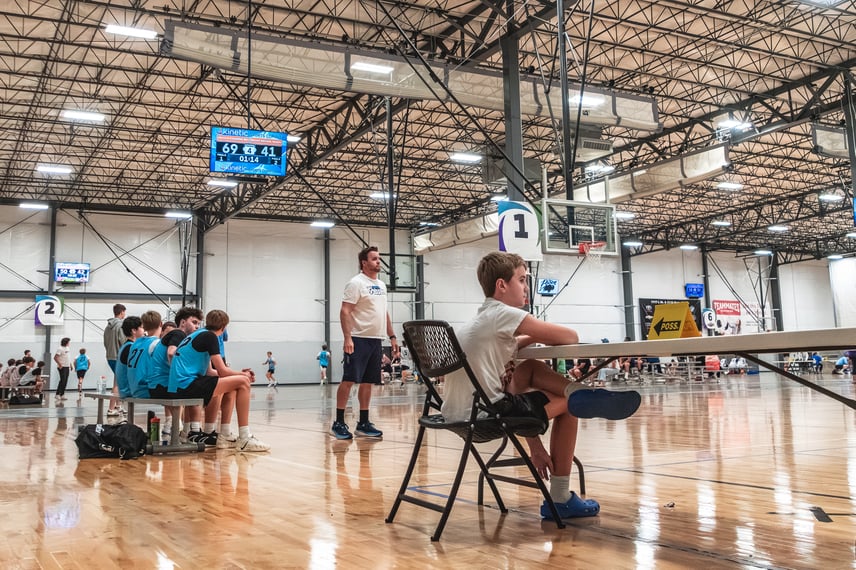
ScoreVision is not a display hardware manufacturer—we are software that works with almost any display as long as it can show video and has an HDMI input. That includes TVs you buy at your local store and LED displays. The software suite that works best for this use case is Basic Suite.
Basic Suite runs on a streaming device—so an Apple TV, Google TV, etc. You can pick whichever works for you. Once you plug in the streaming device, you can use our scoring apps to keep score. It’s really easy and doesn’t require proprietary hardware or an installer. You can self-setup and get started.
What Hardware Do You Need?
Each court needs three things:
- A TV of any size or brand
- A streaming device, such as Apple TV
- A tablet or iPad running the ScoreVision App
If a TV is already mounted in your facility, setup takes minutes.
How Does Scoring Work in the ScoreVision App?
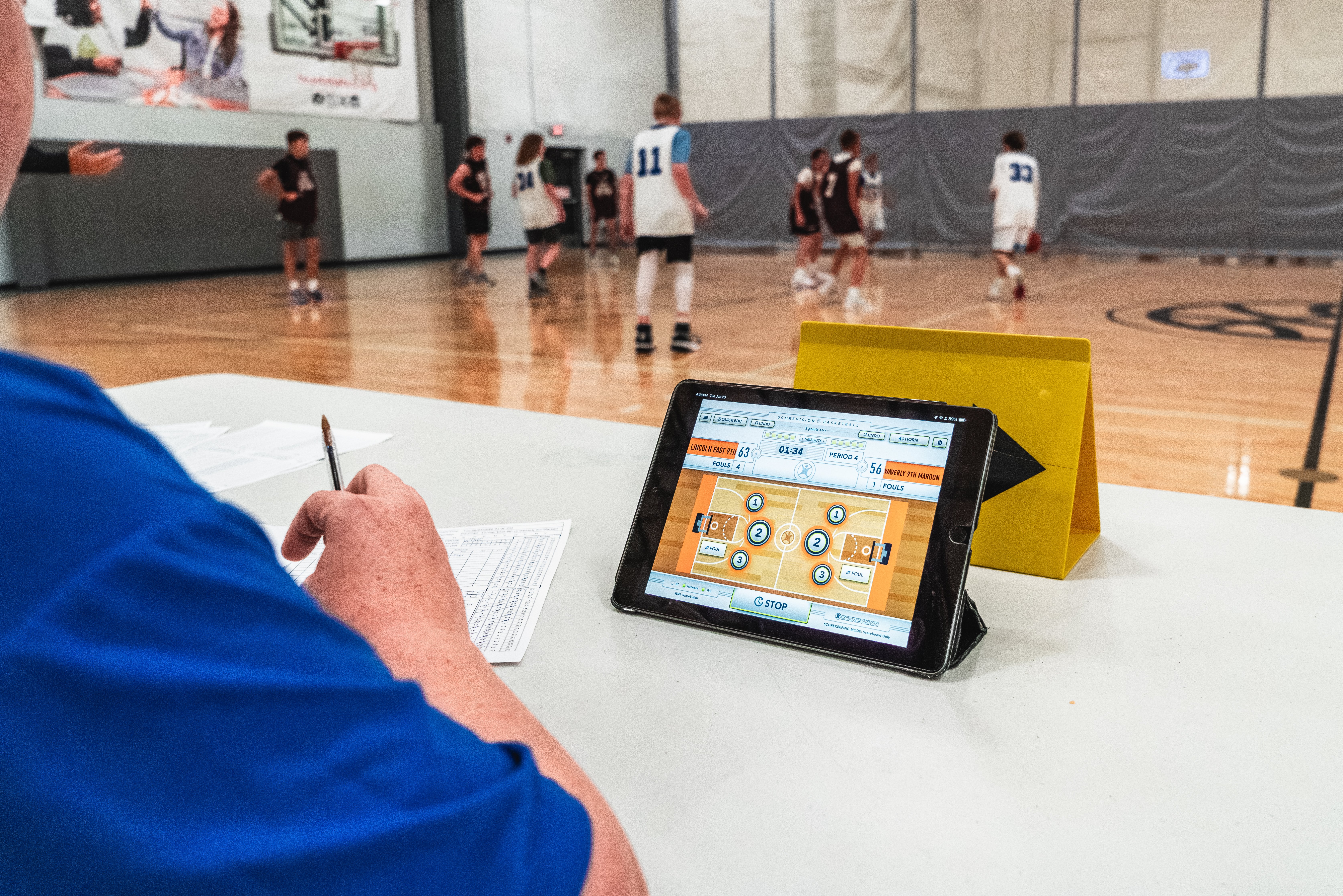
Our Basic Suite gives you access to the fundamental parts of ScoreVision. Scoring works by using the ScoreVision App. In the app, you can switch between sports. Each interface is game-like to help the scorekeeper keep score. Volunteers can easily identify the essential functions. The scoreboard layouts also change to show the information relevant to each sport. For example, the basketball layout centers on 1-point, 2-point, and 3-point scoring, with fouls and timeouts. Volleyball centers on sets, aces, blocks, and points, so volunteers only see the controls their sport uses.
Volunteer scorekeepers change every weekend. A sport-specific interface on a tablet they already know reduces training at the scorer's table.
Can You Schedule Games in Advance?
Yes. In the ScoreVision Cloud, you can import teams and schedule games before tournament day, so each court's matchups are ready when doors open.
Day-of schedule changes still happen. For those, a scorekeeper can create a game on the spot by selecting teams from a drop-down menu and starting the game.
Can You Customize the Scoreboard Background?
Yes. You can upload your own graphic as the scoreboard background and apply it to every court or assign a different graphic to each one.
Large complexes often confuse first-time visitors. A unique graphic on each court, such as "Court 3" in a specific color, doubles as wayfinding so teams find their court faster.
How Does ScoreVision Help Generate Revenue for Teams and Facilities?
Basic Suite includes access to advertising, so you can sell ads to local and regional businesses. These ads appear on scoreboard layouts and also during key moments like pre-game, timeouts, and halftime.
Volunteers are already busy keeping score. Because ad rotation and break detection run automatically, no one has to press a button to show a sponsor.
At the end of the season, you can download reports to share with those businesses as proof of their performance. That way, they can understand the value of exposure throughout the facility and the year.
ScoreVision Basic Suite vs. Traditional Scoreboards
| Feature | ScoreVision Basic | Traditional Scoreboard |
| Display | Any TV | Manufacturer's Fixed-Digit Scoreboard |
| Installation | Plug-in Streaming Device | Qualified Installer |
| Scoring Interface | Sport-Specific App | Keypad Console with Overlays, or Touch App/Browser for Select Models |
| Game Scheduling | Cloud Import or Ad Hoc | Varies by Vendor |
| Custom Graphics | Background Per Court or Facility | None-Requires a Video Display |
| Sponsor Ads | Automatic Rotation & Key Moments | None-Requires a Video Display |
Frequently Asked Questions
Can any TV be used as a scoreboard?
Yes. ScoreVision Basic Suite works with any TV that accepts a streaming device, such as Apple TV, through an HDMI port.
Do I need a certified installer to install ScoreVision?
Not for Basic Suite on a TV. If the TV is already mounted and powered, you plug in the streaming device and connect the tablet. Traditional scoreboards typically call for qualified installation.
Can I run multiple courts at once?
Yes. Each court runs its own game, and the ScoreVision Cloud dashboard shows scheduled and completed games across all courts in one view.
How do sponsor ads work on Basic Suite?
Ads rotate automatically during play. During pre-game, timeouts, and halftime, the display switches to the countdown layout with premier ad placements, with no action required from the scorekeeper.
Get Every Court Ready
Every court in your complex can have a scoreboard before your first tournament weekend. Learn more about ScoreVision Basic Suite at scorevision.com/scoring/basic.